Skip to content

Meet Agent.
Your real estate
business companion.

Talk through your day between showings. Capture expenses, receipts and property details while they are fresh, and keep your business records together.
Your real estate business.
Web & mobile
Your records. Together.
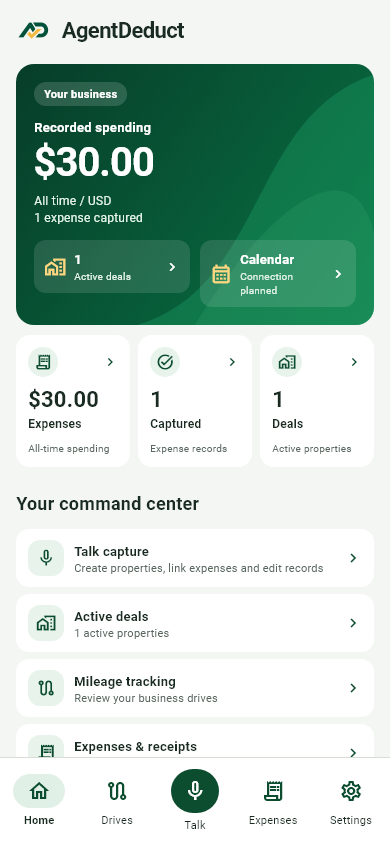
AgentDeduct mobile homepage

Illustrative preview · example records

Expenses, receipts, mileage and properties — one business companion
Expenses
Receipts
Properties
Mileage
AI Talk
Your workspace
Business records
Key Features

The expenses that slip
through busy days.

Expenses & receipts

Log it while
it is still fresh.

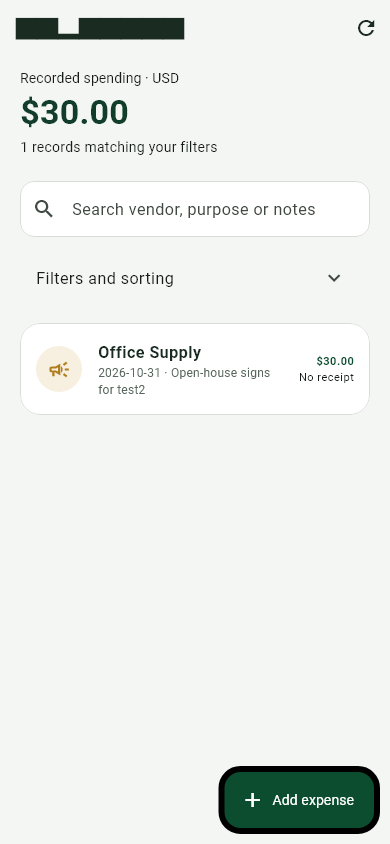
Lunch between appointments. Supplies for an open house. Capture the expense, keep the receipt and note what it was for.

Recorded spending$125.00
Illustrative preview · example records
Property organization

Keep each listing's
costs together.

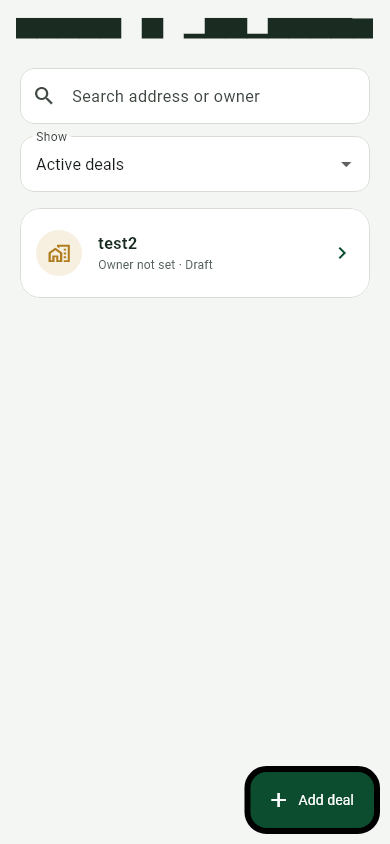
Add property context to an expense, or keep it as general business spending when it does not belong to one deal.

Oak Street property$60.00
Illustrative preview · example records
Business mileage

The miles behind
your showings.

Record business drives with purpose and trip details. Review mobile GPS estimates before classifying your trips.

Business drivesYour next showing
Illustrative preview · example records
A day in the life

Your day is showings,
calls and closings.

The paperwork happens in between — over coffee, at the office, in the five minutes before your next appointment. Log it while it is fresh, attach the receipt and move on with your day.

  • Property-linked records
  • General business expenses
Property spending$60.00

Oak Street · example records

Receipts   ·   Property   ·   Reviewed
Every detail belongs

One connected record

Capture · Link · Review

Why AgentDeduct

Everyday record-keeping
for a working agent.

Clear expense categories

Log spending under clear business categories, with the vendor, amount and business purpose together.

Keep the receipt attached

Photograph a receipt and keep it with the expense. Review and correct the extracted information.

Speak while it is fresh

Tell Agent about a purchase or property. Use mobile AI Talk to create records and correct the details.

Give expenses property context

Keep each listing's costs together by linking expenses to the property or deal they belong to.

Document your business drives

Record trip details and business purpose, and review mobile GPS estimates before classifying a drive.

Keep mixed spending honest

Set the business-use percentage for an expense so personal and business portions stay separate.

Talk. Agent handles
the paperwork.

Just say what happened: the purchase, the property or the correction. Agent turns your words into organized records, with the details kept together.

Speak, then see the result

Preview results and make changes whenever you need to. Missing required details stay in a draft until they are complete.

Review and correct

Glance at what Agent captured and make changes when needed. You can edit records manually or ask Agent to correct them.

A simple workflow

Speak. Agent structures it.
You stay in control.

Capture

Keep the details

Say what happened or capture the receipt while the details are still fresh.

  • Record vendor and amount
  • Attach the original receipt
  • Use mobile Talk capture
  • Keep the business purpose
  • Review extracted information
Connect

Give it context

Agent turns your words into expense and property records, keeping the details together.

  • Select a property or deal
  • Keep general expenses separate
  • Link spending to your work
  • Keep original receipt details
  • Find related records together
Review

Stay in control

Review what Agent captured. Correct a detail yourself or ask Agent to change it.

  • Review receipt information
  • Edit AI-created records
  • Revisit your expense history
  • Correct incomplete drafts
  • Review business mileage
FAQs

Frequently Asked Questions

Have any questions? Don’t hesitate to contact us!

Get started

No. You can link an expense to a property or save it as general business spending.

Yes. You can preview and manually edit records. Talk can also correct records you ask it to change. Missing required details stay in a draft.

The web workspace includes expenses, receipts, properties and mileage. The mobile app also includes receipt capture, AI Talk and GPS trip review.

No. It helps organize records. Business-use allocations are not a final tax deduction or tax-savings estimate. Review tax treatment with your CPA.

CPA record packages are available for review and download. Google Calendar connection requires server setup, then you can view schedules and confirm new appointments. Tax calculations require an approved CPA policy.

Built for your day

Your business happens
between appointments, too.

Property expenses

Keep open-house supplies, signs and property-related costs connected to the right deal.

At the property

AgentDeduct workflow
Mileage records

Keep track of business drives and review the purpose of each trip while it is still fresh.

Between appointments

AgentDeduct workflow
General business

Keep general business spending together with the receipt and the reason for the expense.

Back at the office

AgentDeduct workflow
Mobile AI Talk

Tell mobile AI Talk about an expense, then review and edit the saved result.

On the go

AgentDeduct workflow
Receipt capture

Capture the receipt while the details are fresh and check the extracted information.

After a purchase

AgentDeduct workflow
Getting started

Small captures.
A clearer business record.

Put Agent to work
for your real estate business.

Talk through your day. Keep the receipt. Write down the business purpose. Let the small captures add up.

  • Property-linked records
  • Web & mobile